

Keeping up with Microsoft Entra documentation is hard. Either you get lucky while browsing Microsoft Learn, or you do what I used to do and check GitHub commits daily.
EntraDocsTracker solves this by automatically monitoring the official Entra docs repository and presenting recent changes in a clean, accessible format.
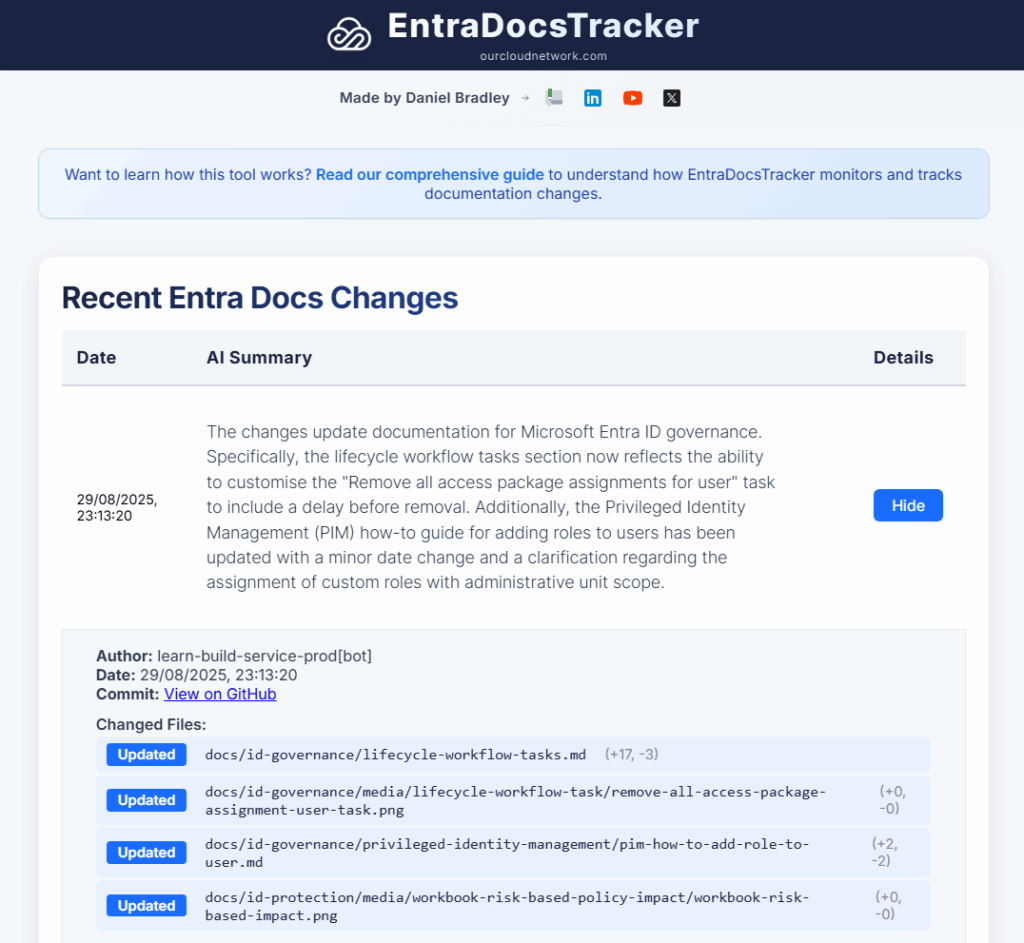
Why Entra Docs Tracker?
If you work with Microsoft Entra, you know it is constantly growing at a rate which is almost impossible to keep up with, and I’m not just talking about minor bug fixes, I see:
- Key security updates that patch holes you might not even know you have.
- Brand new features that can genuinely make your job easier and your systems more powerful.
- Important changes to how things work, sometimes including features being retired.
Better explanations of existing tools, clarifying the best way to use them.
Ignoring these can mean you’re working with outdated information, missing out on powerful tools, or even leaving a door open for security threats.
Additionally, one of the best aspects is that it isn’t just Microsoft updating the documentation. The tech community, including engineers and administrators who use this technology in the real world, often adds their own notes, examples, and fixes errors in the documentation.
How Entra Docs Tracker works
EntraDocsTracker operates as a streamlined single-page React application that monitors Microsoft Entra documentation changes efficiently and presents them in an easy-to-read, digestible format.
The backend process (built on Azure Automation) generates a daily changes.json file containing the last 7 days of Entra documentation modifications. This file includes commit details, file paths, and AI-generated summaries of each change.
The React app fetches this single JSON file from the public directory, eliminating complex GitHub API calls and improving performance. The main ChangeTable component processes this data, sorting changes chronologically and rendering them in a responsive table.
The application deploys to GitHub Pages by entradocs.ourcloudnetwork.com . It uses some cache-busting strategies to ensure users always see the latest changes without manual browser refreshes.
